Best Audio Tour Apps for Sightseeing Without a Guide
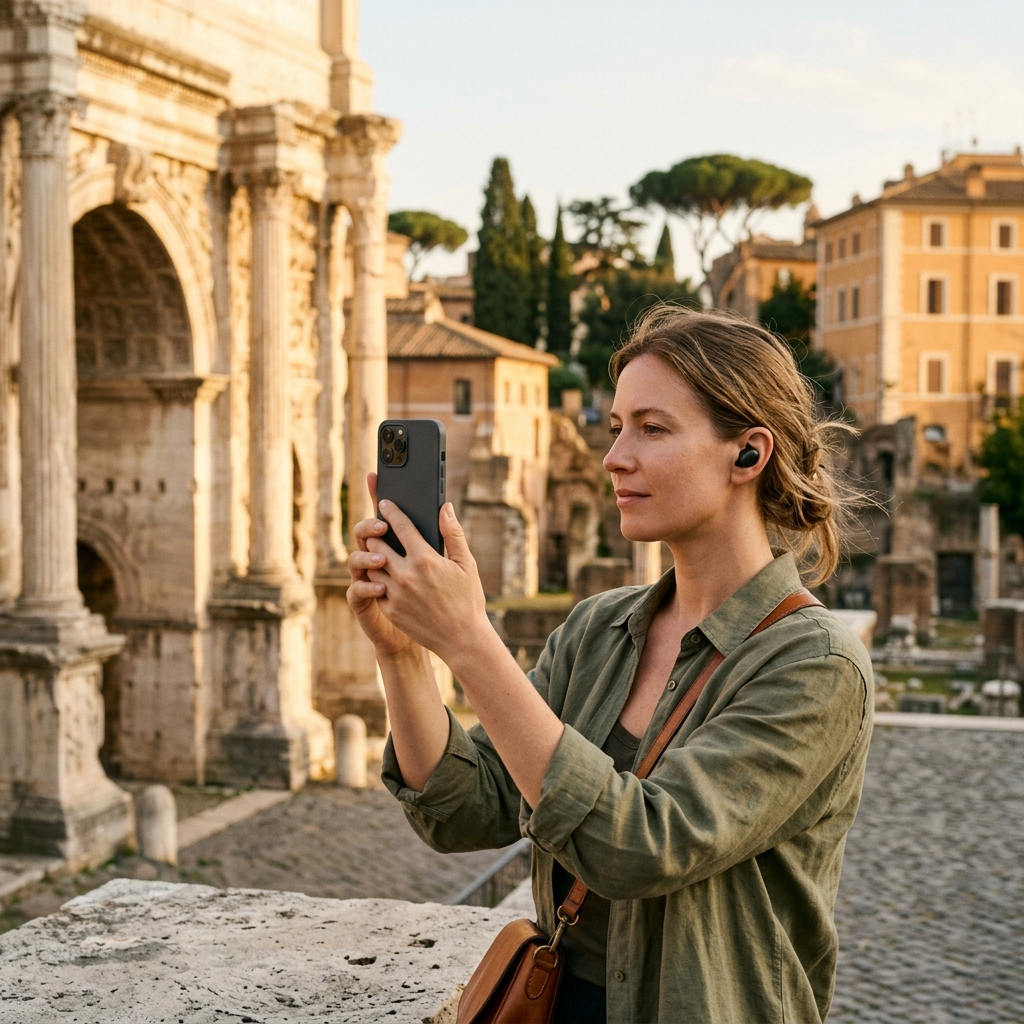
Audio tour apps allow travelers to explore landmarks independently while retaining the context and historical insight traditionally provided by a guide. Choosing the right tool requires evaluating spoken narration quality, offline availability, catalog depth, and recognition features that identify unfamiliar sights on demand.
The Evolution of Independent Sightseeing
Sightseeing without a tour group offers flexibility, but traditional methods often force a compromise between freedom and information. Printed guidebooks require continuous reading, pulling attention away from architecture and streetscapes. Scheduled group tours enforce rigid itineraries, rushed stops, and uniform pacing that rarely accommodates personal interests or spontaneous detours.
Digital audio guides resolve this tradeoff by delivering spoken commentary directly through headphones. Rather than keeping your eyes fixed on a screen or a book, audio navigation lets you observe historic facades, public squares, and monuments while listening to background details. This approach turns urban exploration into an active, self-directed itinerary.
Key takeaway: Audio-guided sightseeing keeps your attention on your physical surroundings while allowing you to travel at your own pace.
Core Features of an Effective Audio Tour App
Not all audio guides deliver an equivalent experience on the ground. When evaluating platforms for self-guided exploration, several functional capabilities distinguish dependable tools from static playlists:
- Hands-Free Narration: A capable tour app offers voice-guided routes that follow logical walking paths, providing cultural context clearly without demanding constant manual screen taps at every turn.
- Visual Landmark Recognition: Unplanned discoveries happen on every walk. An integrated camera scanner that identifies a landmark from a live photo or gallery video provides quick attribution, avoiding the need to type descriptions into a search bar.
- Interactive Map Navigation: Built-in mapping with point-of-interest (POI) markers clarifies your position relative to nearby attractions and shows the distance from your current location.
- Offline Reliability: International roaming constraints and dense historic districts frequently disrupt mobile data. Reliable apps support offline functionality so catalog entries and descriptions remain accessible without network connectivity.
- Custom Trip Sequencing: The ability to bookmark favorites, organize them into named trips, and reorder stops via drag-and-drop helps structure a realistic daily route.
Key takeaway: Prioritize tools that combine continuous narration, geographic context, and offline capabilities to prevent interruptions during your walk.
Enhancing Exploration with Aitour: AI Travel Guide
Modern travel apps increasingly use artificial intelligence to answer questions that arise during independent walking tours. Aitour: AI Travel Guide combines voice-guided walking tours with automated landmark discovery.
A central feature of the app is the AI Landmark Scanner. When you encounter an unfamiliar monument, building, or statue, you can capture a photo or select an existing video from your gallery. The recognition feature matches the image against the destination catalog to open the corresponding POI page, eliminating guesswork and providing immediate background.
On each place page, text-to-speech reads descriptions aloud for immediate listening. For questions not covered in the overview, the Ask AI feature lets you query additional historical facts and details directly within the app.
Key takeaway: Visual recognition and on-demand audio narration turn unexpected sights into informative stops without requiring manual research.
Step-by-Step: Planning an Independent Walking Tour
Organizing a self-guided route requires practical preparation to ensure efficient navigation between sites:
- Curate Points of Interest: Search the catalog by category or keyword, reviewing place summaries and distances from your location.
- Build and Reorder Your Itinerary: Save selected landmarks to a named trip. Use drag-and-drop reordering to sequence stops along a continuous route, minimizing backtracking.
- Verify Offline Access: Check that your destination content is accessible offline before departing to preserve battery and maintain access in areas with poor cellular reception.
- Pack Field Essentials: Bring earphones, a portable charger, and confirm that device location permissions are enabled for live map tracking.
- Use Live Narration on Site: Start the voice-guided tour upon reaching your first destination, alternating between map directions and place descriptions as you proceed.
Key takeaway: Deliberate itinerary sequencing and offline preparation ensure a smooth walking tour without technical delays.
Navigating In-Transit Questions and Hidden Details
Even carefully planned itineraries encounter unfamiliar markers, architectural details, or plaques in foreign languages. A major limitation of pre-recorded audio files is their static format: if a recording omits a specific relief or courtyard, that context remains inaccessible.
Dynamic travel applications address this limitation by letting users investigate details on the spot. By combining an interactive Google Map—complete with marker previews, your current location, and dark mode for low-light conditions—with conversational AI assistance, travelers can ask specific questions about architectural styles, historical dates, or local background for the exact site they are viewing.
In addition, sharing features allow users to send places directly to travel companions, keeping groups aligned on destinations and routes.
Key takeaway: Interactive query tools allow you to explore specific details about landmarks beyond static recorded scripts.
Conclusion: Maximizing Autonomy on the Ground
Self-guided audio tour apps provide the flexibility to tailor itineraries around personal interests while retaining reliable commentary. By selecting platforms that offer offline functionality, integrated mapping, and recognition tools like those in Aitour: AI Travel Guide, you can navigate new cities independently and efficiently. Plan your route in advance, remain open to spontaneous detours, and let voice narration provide the context along the way.
Frequently Asked Questions
Self-guided audio tour apps deliver spoken descriptions and background information through headphones as you visit points of interest. Many platforms use interactive maps with location markers to show nearby sights, allowing you to listen to place descriptions or follow narrated walking tours.
Yes, many dedicated travel guide apps offer offline functionality. This enables travelers to access place descriptions, saved itineraries, and catalog details without relying on cellular data or Wi-Fi.
Apps with visual recognition features, such as the AI Landmark Scanner in Aitour, allow you to photograph the landmark or select a video from your gallery. The app matches the image to its catalog to identify the place and provide spoken descriptions.
Yes. Self-guided audio tours allow international visitors to explore at their own pace without scheduled groups, while offline support helps avoid cellular roaming charges.