How to Keep Track of Cash Receipts for Monthly Budgeting
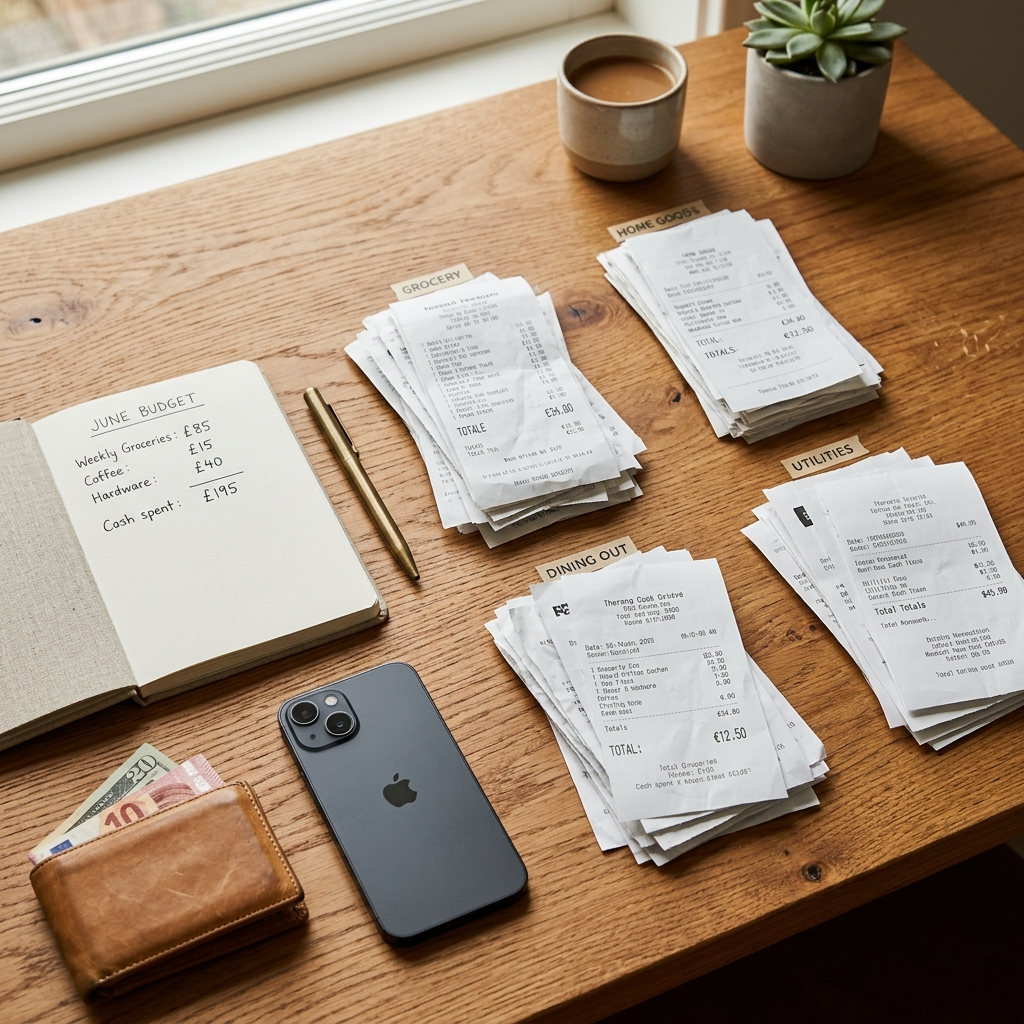
Tracking cash receipts for monthly budgeting requires establishing an intake routine, verifying extracted receipt details, and organizing expenses into practical categories. Converting paper slips into searchable digital records keeps unrecorded cash spending from distorting your budget plan.
The Budget Blind Spot: Why Cash Spending Derails Financial Plans
Bank accounts and credit cards record transactions automatically. Cash spending, however, creates a blind spot. An ATM withdrawal only shows the cash taken out, not how that money was divided among groceries, parking, dining, or household sundries.
Without receipts, these untracked purchases accumulate over the month. At month-end, they appear as unexplained discrepancies between your planned budget and actual cash balance. Systematic receipt tracking accounts for each purchase before the details are forgotten.
Takeaway: Cash withdrawals hide where money goes, making monthly reconciliation inaccurate without receipt records.
Step 1: Establishing a Consistent Physical Collection Habit
A digital workflow depends on collecting the physical slip first. Requesting a printed paper receipt must become standard practice for cash purchases, regardless of transaction size.
Store receipts in a single spot throughout the day. Tossing slips into shopping bags, pockets, or car consoles leads to crumpled, faded, or lost paper. A dedicated wallet pocket or small envelope keeps receipts flat, legible, and ready to scan.
- Ask for a printed receipt when paying with cash.
- Keep a dedicated compartment in your wallet exclusively for paper slips.
- Empty the compartment daily so receipts do not pile up or fade.
Takeaway: Collecting receipts at the register provides the source documentation needed for complete records.
Step 2: Digitizing Paper Receipts and Verifying Extracted Details
Paper receipts can tear, fade, or get misplaced. Digitizing paper receipts protects your records and makes them easier to organize. Using a mobile tool like Receiptly: Receipt Scanner allows you to capture paper receipts and extract merchant names, dates, and totals.
Because AI extraction can make mistakes, automated scanning should always be checked. Faded thermal printing, crinkled edges, or unusual store layouts can cause errors. An eight might be read as a zero, or a tax subtotal might be mistaken for the final total. Always review the extracted details against the original paper receipt and correct any inaccuracies before saving. Some advanced features may require an in-app purchase, so review the available features and terms in the app.
- Place the receipt flat on an uncluttered surface with clear lighting.
- Capture the entire slip, making sure the merchant name, date, and final total are fully in frame.
- Check the extracted merchant name, date, and total against the paper slip.
- Correct misread numbers or missing text before saving the record.
Takeaway: Scanning speeds up data entry, but verifying details against the original paper slip ensures your records remain accurate.
Step 3: Categorizing Cash Transactions for Clear Reporting
Saved receipts are more useful when organized into consistent categories. When saving an expense in Receiptly, assign it to a relevant budget category, such as Groceries, Transportation, Entertainment, or Personal Care.
Keep your category list simple. Too many specific categories can make logging tedious, while overly broad labels hide where your money goes. Matching your receipt categories to your overall monthly budget makes comparing cash spending against digital payments straightforward.
- Use standard category names across your personal budget.
- Assign mixed purchases to the primary budget category or record notes for clarity.
- Maintain consistent categories so monthly summaries group similar expenses accurately.
Takeaway: Consistent categories turn individual purchase slips into organized monthly expense data.
Step 4: Reviewing Searchable History and Monthly Summaries
Budgeting is more than record-keeping; it helps you evaluate your spending habits. A searchable receipt history lets you look up specific past purchases without digging through physical files. If you need to confirm what you spent on transit or at a pharmacy weeks ago, search by date or merchant name to locate the entry.
At the end of the month, review your spending charts and monthly summaries to evaluate category totals. Checking these summaries helps uncover patterns that bank statements overlook. If your cash totals in a particular category exceed your expectations, you can adjust your cash withdrawals and spending limits for the next cycle.
Takeaway: Reviewing spending charts and monthly summaries helps you turn recorded receipts into informed budget adjustments.
A Weekly Maintenance Checklist for Cash Tracking
A brief, regular routine keeps receipt management manageable.
- Daily: Capture paper receipts from your wallet with Receiptly.
- Daily Verification: Check the extracted merchant, date, and total against the paper slip, make corrections, and assign categories before saving.
- Weekly: Search your receipt history to ensure cash withdrawals align with recorded expenses.
- Monthly: Review spending charts and monthly summaries to compare cash outlays against your planned budget.
Takeaway: A short daily habit and regular weekly reviews keep receipt tracking manageable and accurate.
Building a Resilient Cash Budgeting System
Managing cash receipts comes down to straightforward daily habits: collect the paper slip, capture the image, verify extracted details, and assign an expense category. Receiptly: Receipt Scanner supports this routine with searchable receipt history, spending charts, and monthly summaries. Verifying extracted data against your paper receipts ensures your monthly budget reflects real spending.
Frequently Asked Questions
Card payments generate an automatic digital statement with dates, amounts, and merchant names. Cash transactions leave no electronic record unless you collect and log receipts manually.
Capture cash receipts on the day of purchase. Waiting until the end of the month often leads to misplaced receipts, faded thermal ink, and forgotten expense details.
Optical and AI extraction can misread crumpled thermal paper, unusual fonts, or poor lighting. Comparing the extracted merchant, date, and total against the original receipt ensures records are accurate before saving.
For routine personal expenses like groceries or daily transit, keeping the verified digital record is usually sufficient once reconciled. For major purchases or items with return policies and warranties, keep the physical slip until the return period ends.