Best Planta Alternative for Diagnosing Sick Houseplants
For houseplant owners seeking an alternative to routine care calendars, Plant Doctor provides a focused substitute for Planta when diagnosing plant health issues. While conventional tracking applications emphasize scheduled watering reminders, Plant Doctor focuses on immediate visual analysis to identify diseases, pests, nutrient deficiencies, and environmental stress directly from a photograph. This diagnostic-first approach provides home gardeners with clear, step-by-step treatment and prevention guidance when an indoor plant shows signs of distress.
Houseplant care often involves ambiguous symptoms. Foliage discoloration, wilting, and unexpected leaf drop can stem from multiple competing causes, including overwatering, spider mite infestations, or nutrient shortages. While calendar-based care apps manage routine chores well, diagnosing active plant decline requires immediate visual evaluation rather than a predetermined schedule.
The Shift from Routine Tracking to Symptomatic Diagnosis
Calendar-based applications rely on fixed intervals to prompt watering, misting, or fertilizing. However, indoor environmental conditions vary across seasons, rooms, and microclimates. Fluctuations in ambient humidity, seasonal light levels, and indoor heating alter transpiration rates, making rigid schedules unreliable. In many cases, watering a distressed plant according to a fixed calendar can worsen conditions such as root rot.
Plant Doctor evaluates the physical condition of the specimen rather than estimating health based on elapsed time. Early detection of biological stressors helps prevent mistaken care interventions, supporting more reliable plant recovery.
- Calendar reminders manage routine maintenance but cannot evaluate biological decline.
- Environmental variables frequently alter watering needs, limiting the reliability of static schedules.
- Visual symptom analysis identifies root causes before secondary damage spreads.
Evaluating Pathologies: Pests, Pathogens, and Nutritional Stress
Effective plant triage begins with distinguishing between environmental stress, pest infestations, and infectious diseases. For example, mistaking the stippling caused by thrips or spider mites for a fungal leaf spot can lead to unnecessary fungicide applications that leave the pest population unchecked. Similarly, misinterpreting nutrient chlorosis as an infection risks improper treatment that adds chemical stress to the plant.
Plant Doctor evaluates photographs across four primary categories of plant distress:
- Plant Diseases: Identifies bacterial and fungal conditions affecting foliage and stems, such as blights, rusts, and powdery mildew.
- Pest Infestations: Detects visual evidence of common indoor pests, including scale, mealybugs, thrips, and spider mites.
- Nutrient Deficiencies: Analyzes patterns of leaf discoloration, such as chlorosis and abnormal growth, linked to nutrient shortages.
- Environmental Stress: Recognizes symptoms resulting from low humidity, light scorch, cold drafts, and improper moisture balance.
Classifying the specific distress category prevents counterproductive treatments and unnecessary plant loss.
Standardizing Photo Quality for Precise Image Diagnosis
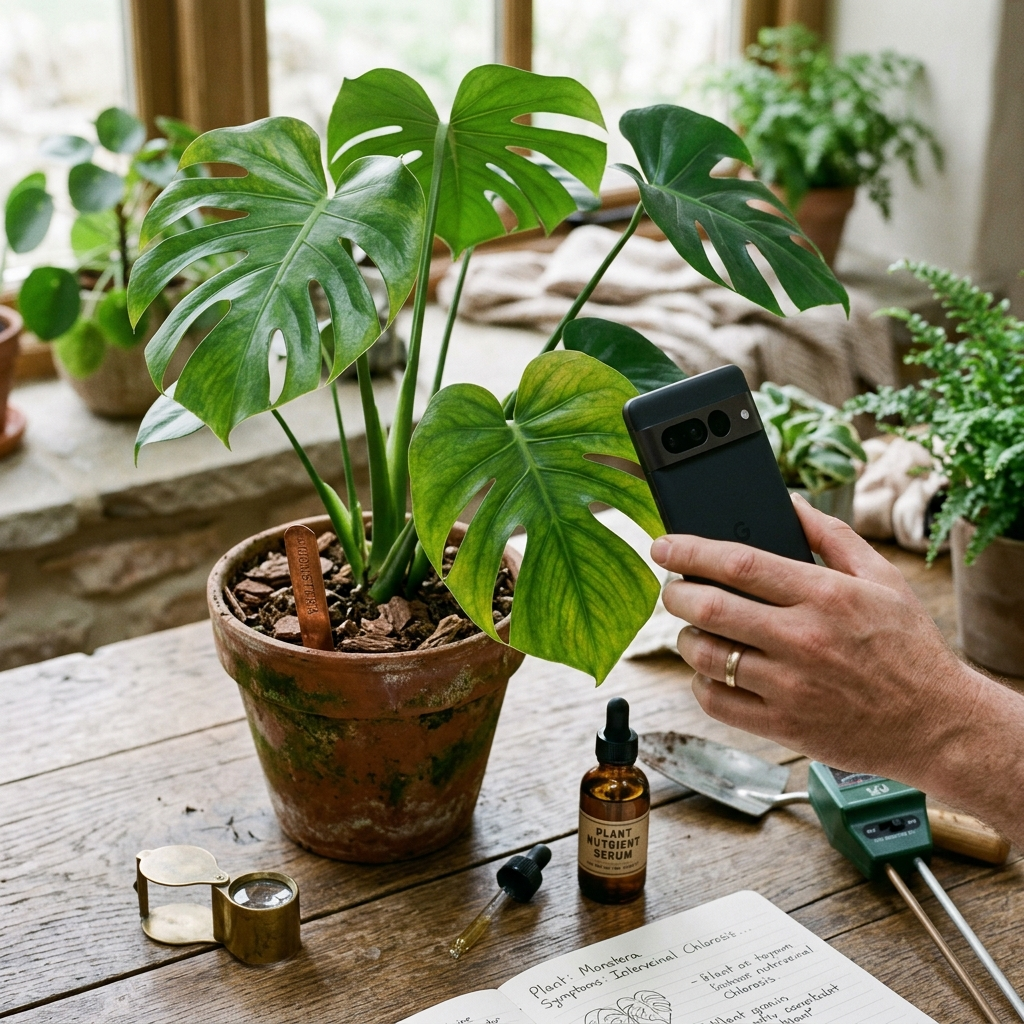
Image-based diagnostic models depend on clear visual input. Blurry photographs, poor focus, or harsh lighting can obscure pest colonies and subtle leaf patterns. Capturing clear, well-framed images ensures the diagnostic system can evaluate symptoms accurately.
Plant Doctor includes built-in photo tips within the camera interface to guide users during image capture:
- Use Diffused Natural Light: Avoid direct camera flash and harsh midday glare, which wash out surface textures and leaf details. Place the plant near a bright window with indirect light.
- Focus on the Lesion Margin: Frame the transition zone between damaged and healthy tissue to capture clear symptom boundaries.
- Inspect Leaf Undersides: Many sap-sucking pests, including spider mites and thrips, colonize the undersides of leaves. Photograph these surfaces when stippling or curling appears.
- Capture the Overall Habit: If systemic issues like wilting or stunted growth occur, take an establishing photo of the entire plant alongside detailed close-ups.
Consistent photo quality helps the diagnostic engine accurately identify the plant and assess its health.
Step-by-Step Treatment and Prevention Protocols
Receiving an accurate diagnosis is only the first step; home gardeners also need safe, actionable remediation instructions. Many conventional horticulture resources suggest agricultural chemicals or complex regimens that are unsuitable for residential living spaces.
Plant Doctor provides practical, step-by-step treatment and prevention protocols designed specifically for home environments. Instructions clearly separate immediate interventions—such as isolating affected plants, pruning damaged foliage, and manual pest removal—from ongoing cultural corrections. Every diagnosis also includes targeted prevention advice covering soil drainage, air circulation, and light exposure to help prevent recurring issues.
- Remediation steps emphasize safe, practical interventions for home settings.
- Immediate physical controls are paired with sustained environmental corrections.
- Targeted prevention advice helps prevent chronic reinfection and stress.
Balancing Accessibility, Languages, and Fair Usage
When an indoor plant shows signs of sudden decline, prompt access to diagnostic tools is critical. Requiring upfront subscriptions can create unnecessary barriers for gardeners seeking timely help.
Plant Doctor uses an accessible usage model. Home gardeners can assess plant health using a daily free diagnosis allowance. For users managing larger collections, an optional PRO upgrade removes advertisements and provides unlimited diagnoses. To support an international audience, the application is available in 10 languages with full right-to-left (RTL) text support.
- Daily free allowances enable immediate triage without an upfront paywall.
- An optional PRO tier removes ads and unlocks unlimited diagnoses.
- Support for 10 languages, including full RTL rendering, ensures broad accessibility.
Choosing the Right Tool for Indoor Plant Recovery
While routine-tracking apps like Planta help organize general maintenance schedules, symptomatic plant issues require targeted diagnostic support. When foliage discolors, leaves drop, or pests appear, identifying the specific issue is essential to selecting the right remedy. By combining photo-based identification, symptom detection, and practical treatment guidance, Plant Doctor provides home gardeners with an effective diagnostic alternative for restoring houseplant health.
Frequently Asked Questions
While calendar-based apps like Planta focus primarily on routine watering and care schedules, Plant Doctor specializes in symptom diagnosis. By analyzing a photograph, the app identifies the plant, detects diseases, pests, nutrient deficiencies, and environmental stress, and provides step-by-step treatment and prevention guidance.
Yes. Plant Doctor analyzes visual symptoms to identify common indoor pests, fungal and bacterial diseases, nutrient deficiencies, and environmental stress.
Plant Doctor provides a daily free diagnosis allowance for all users. Gardeners managing larger collections who need unlimited diagnoses and an ad-free experience can choose an optional PRO upgrade.
Follow the built-in photo tips: take photos in bright, indirect natural light, frame the boundary between healthy and damaged tissue, inspect and photograph leaf undersides where pests shelter, and avoid using a harsh camera flash.