Best Self-Guided Walking Tour Apps for Europe: Independent City Exploration Guide

The best self-guided walking tour apps for Europe combine offline access, on-demand audio narration, and landmark recognition to support independent, self-paced exploration. Rather than adhering to fixed group schedules, travelers can navigate European city centers with point-of-interest details, interactive maps, and custom routes.
The Shift Toward Independent Urban Exploration in Europe
European destinations—such as Rome, Paris, Vienna, and Edinburgh—feature dense historic centers where cultural sites sit in close proximity. Traditional group tours often rely on fixed departure times and rigid itineraries that limit spontaneous exploration. Self-guided walking tour applications give travelers direct control over their schedule, route order, and the depth of information they explore.
Key benefits of touring European cities with a dedicated mobile guide include:
- Flexible pacing: Spend more time at a historic site or stop at a cafe without falling behind a tour group.
- Cost predictability: Access site narrations and structured walking routes without paying recurring per-person tour fees.
- Custom routes: Select only the architectural, historical, or cultural stops that fit your personal itinerary.
Core Architectural Features of Modern Walking Tour Apps
A practical walking tour application balances clear navigation with concise historical context. When choosing a travel app for European cities, focus on core capabilities that simplify navigation and provide reliable on-site information.
AI-Powered Landmark Identification
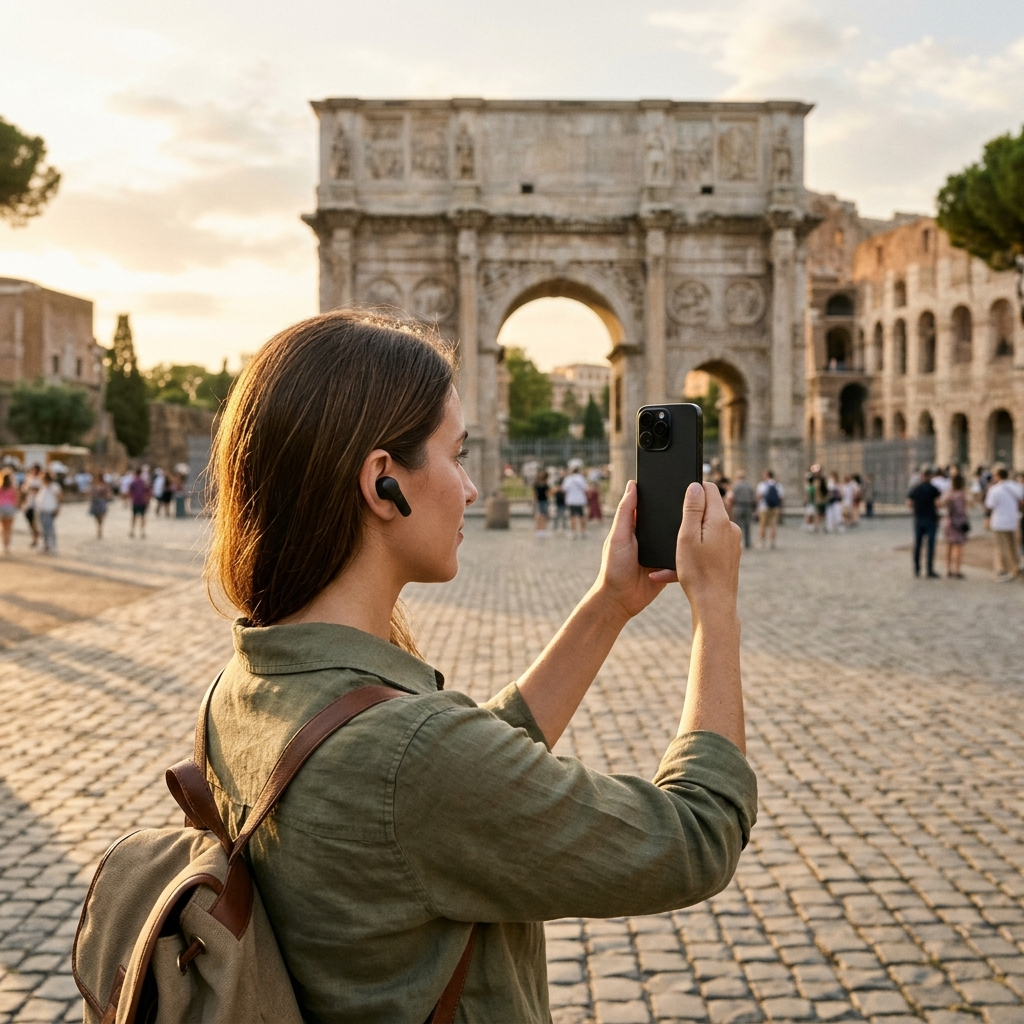
Historic European streets contain numerous statues, facades, and monuments that standard paper maps do not identify. Dedicated travel apps use camera-based scanners to recognize landmarks from a photo or a video thumbnail. Aitour: AI Travel Guide includes an AI landmark scanner that identifies monuments from captured photos or gallery video thumbnails, matching images to catalog entries to display place descriptions, history, and background details.
Voice-Guided Narration and Text-to-Speech
Reading lengthy text on a screen while navigating crowded sidewalks or uneven cobblestones can be difficult. Quality walking tour apps include narrated voice tours or text-to-speech functionality. This allows travelers to listen to place descriptions hands-free using headphones while keeping their attention on their surroundings.
Interactive Mapping and Proximity Awareness
Functional touring maps provide clear point-of-interest markers, current location tracking, and distance indicators. Mapping tools using Google Maps with dark mode support allow travelers to view points of interest, check walking distances from their current location, and preview upcoming stops.
Structuring a Custom European Walking Itinerary
Organizing stops in advance helps travelers navigate European cities efficiently while maintaining flexibility.
- Assemble points of interest: Search the catalog by name, category, or keyword to identify places to visit.
- Build and sequence custom trips: Save selected locations to a named trip. Aitour supports drag-and-drop reordering, making it straightforward to arrange stops geographically and reduce backtracking.
- Verify offline availability: Cellular reception can vary inside stone buildings and narrow historic streets. Confirm that required trip details and points of interest are available offline before heading out.
- Incorporate conversational queries: When you need details beyond standard descriptions, features like Aitour's Ask AI allow you to ask specific questions about a landmark and receive targeted answers.
Comparing Walking Tour Formats for European Travel
Different tour formats suit different travel preferences, budgets, and schedules:
- Fixed Group Tours: Provide in-person commentary and access to select venues, but follow rigid schedules, larger group sizes, and preset routes.
- Traditional Paper Guidebooks: Offer detailed written context without battery consumption, but require manual indexing and lack audio playback or visual search.
- AI-Driven Walking Tour Apps: Combine structured historical background with audio narration, interactive maps, landmark scanning, and custom trip planning.
Practical Checklist for a Day of Self-Guided Walking
Before starting a self-guided walk, review this preparation checklist:
- Bring wired or wireless headphones to listen clearly to audio tours in busy urban environments.
- Organize destinations into a named trip using drag-and-drop sequencing to follow an efficient route.
- Carry a portable power bank to maintain battery life during navigation and camera use.
- Turn on dark mode within the map interface to improve readability and reduce battery drain.
Conclusion: Smarter European City Walks
Self-guided walking tours provide an adaptable balance between structured context and personal freedom. By combining digital mapping, audio narration, and landmark recognition, mobile tools help travelers explore historic sites at their own pace. Using an application like Aitour allows visitors to identify monuments, listen to place histories, and manage custom itineraries throughout European cities.
Frequently Asked Questions
Self-guided tour apps with offline support allow travelers to access saved trips, points of interest, and landmark descriptions without an active cellular data connection.
Apps with visual landmark scanning recognize sites from a photo or a video thumbnail in your gallery, matching the image against a catalog to display historical details and descriptions.
Voice-guided tours and text-to-speech audio allow hands-free listening through headphones, enabling travelers to observe architecture and city streets without looking down at a screen.
Search for points of interest, add selected locations to a named trip, and arrange destinations in geographic order using drag-and-drop tools to minimize backtracking.